
A money secretary, not an advisor
Your poora Hisaab (monthly maths), in one calm view.
Kharchly keeps the boring parts of household money in order — Aamdani (money in), Kharcha (spending), bills due and Nivesh (investments) — so nothing is a surprise on the 28th.
One monthly picture
Aamdani, Kharcha and Bachat (what is left) — stated in rupees, without jargon or scores.
Bills before they bite
Rent, school fees, EMIs and subscriptions listed with the days left until each is due.
Nivesh, plainly tracked
SIPs, funds, FDs and gold recorded at value. Kharchly reports, it never recommends.
Your records, your device
Everything is stored locally on your phone until you choose to sync it elsewhere.
Dekh lijiye — see it first
This is the whole app, not a mock-up
Four screens do the work: your month at a glance, your Bahi (record book), a photo of any bill that becomes an entry, and the bills we watch for you.
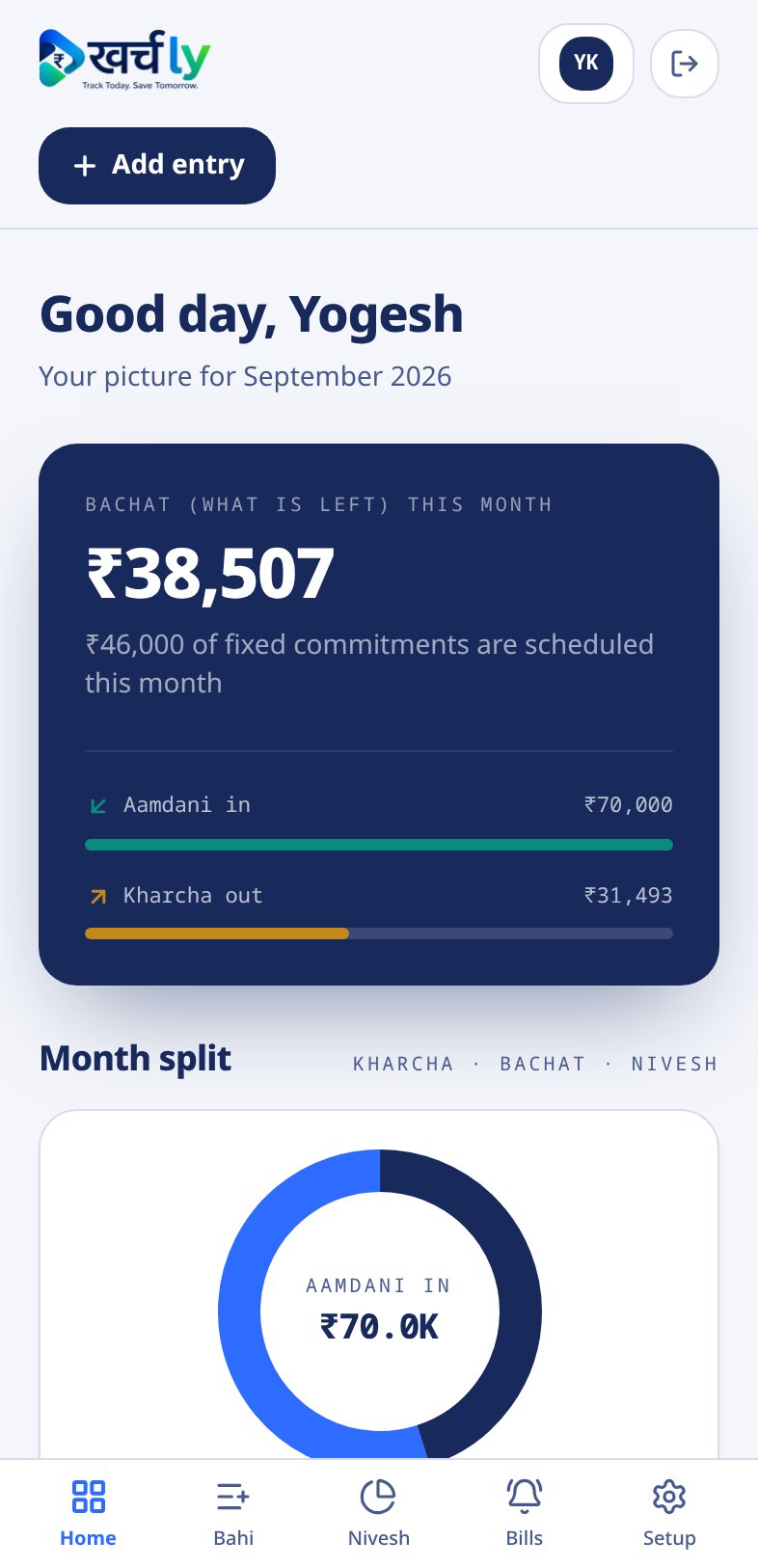
Ghar ka Hisaab
Bachat (what is left), Aamdani in, Kharcha out and where the money went — one screen.
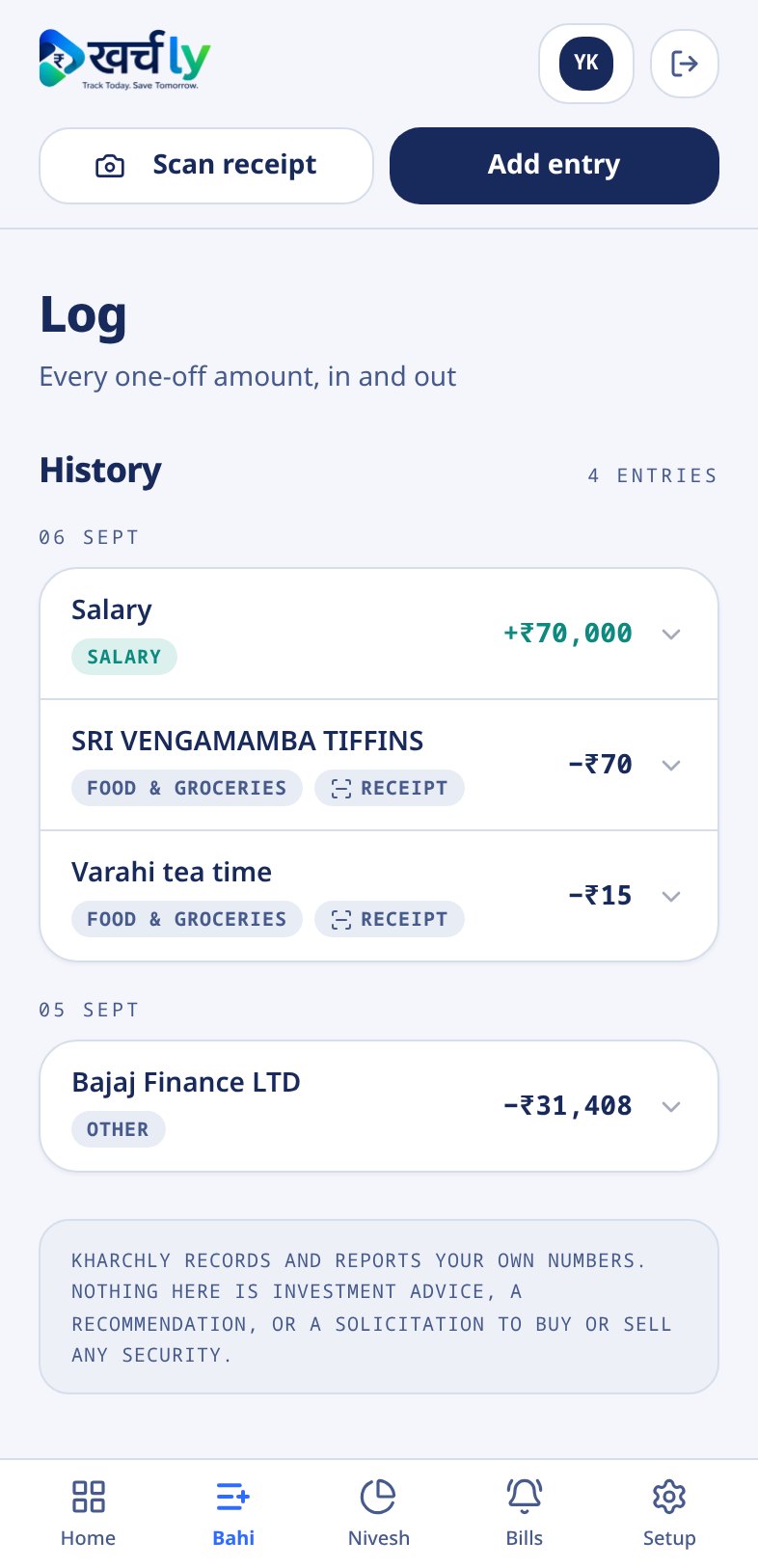
Bahi
Every Kharcha and Aamdani, tagged by category and grouped by day.
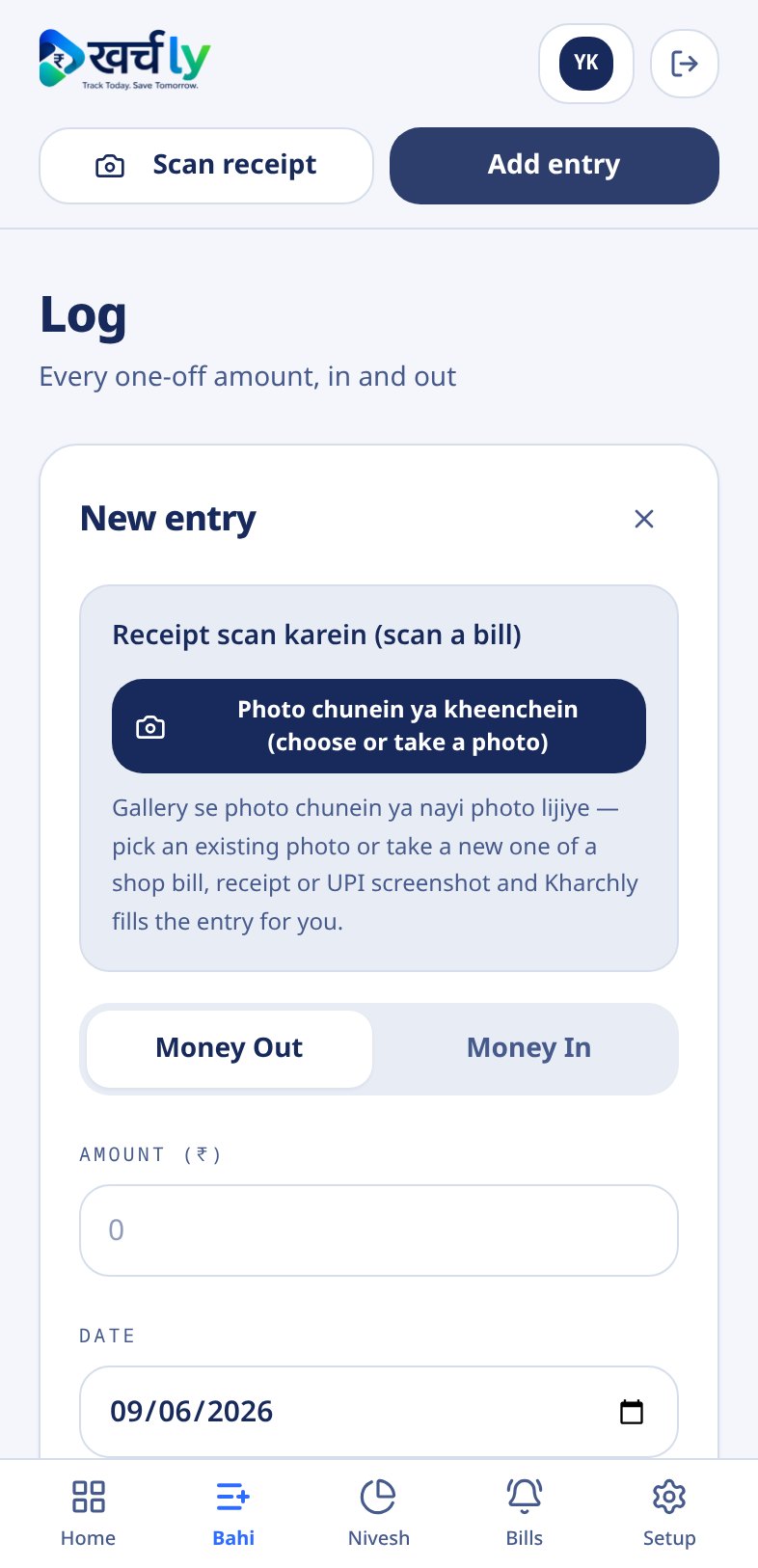
Receipt Scan
Bill ki photo chunein — Kharchly reads the amount, date, shop and category for you.
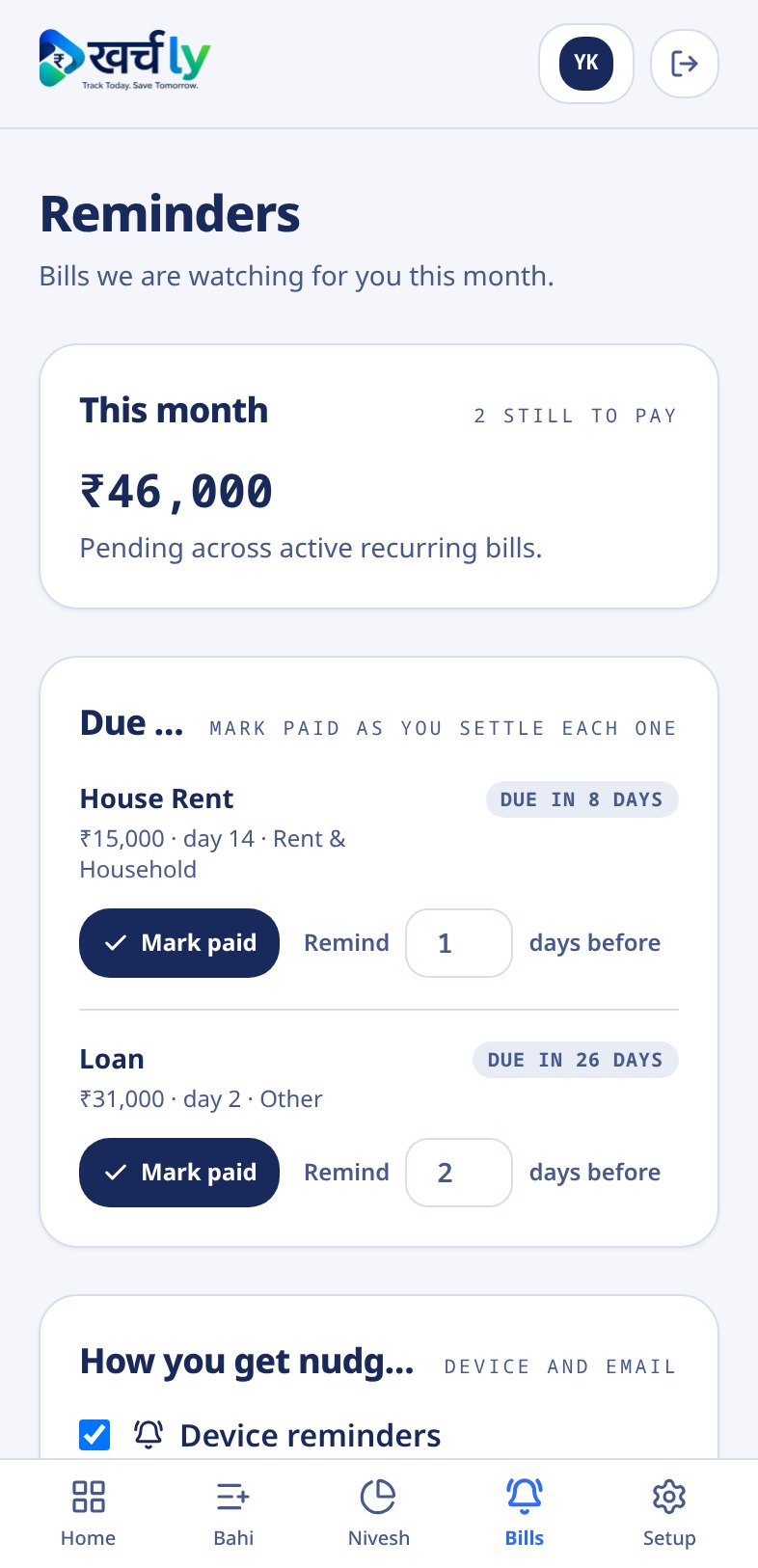
Bills
Rent, fees and EMIs with days left, marked paid in one tap.
Kyun Kharchly
Why not just a spreadsheet or another money app?
Setup time
Kharchly: Three minutes, three questions
Excel sheet: Build your own formulas
Typical money app: Bank login and KYC first
Bank access
Kharchly: Never asked for
Excel sheet: Not needed
Typical money app: Usually required
Language
Kharchly: Hindi-first words, English meaning beside each
Excel sheet: Whatever you type
Typical money app: Finance jargon and scores
Bill due dates
Kharchly: Watched, with reminders
Excel sheet: You remember, or you don't
Typical money app: Often behind a paid plan
Investments
Kharchly: Recorded at value, split shown
Excel sheet: Manual tab, manual maths
Typical money app: Recommendations you did not ask for
Selling to you
Kharchly: Nothing to buy, no advice
Excel sheet: None
Typical money app: Funds, insurance, credit cards
On your phone
Kharchly: Mobile app and web, same records
Excel sheet: Painful on a phone
Typical money app: Mobile first, web rarely
Kiske liye
Built for households that run on one shared pot of money
The salaried parent
Salary on the 1st, school fees on the 5th, rent on the 7th
Aarav puts his take-home in once. Kharchly counts the fixed bills against it and tells him what is genuinely free to spend this month.
The freelancer
Income arrives in uneven lumps
Meera logs each client payment as it lands. The six-month trend shows the thin months, so the big ones are not spent as if they repeat.
The joint family
Groceries, help, medicines, three phone bills
Everything goes into one Bahi with a category. At month end the donut shows exactly which category quietly grew.
The first-time saver
One SIP, one FD, no idea of the total
Rohit records what he has put in and what it is worth now. Kharchly reports the number — it never suggests a fund.
Three minutes to set up
